Cloud cost management is no longer something teams look at once a month. As estates grow across AWS, Azure, GCP, and Kubernetes, FinOps teams need clearer ownership, faster answers, and better ways to act on what they find. The best FinOps tools help you do more than report spend. They help you understand it, allocate it, and reduce waste safely.
Cloud spend is still climbing, especially as AI workloads and Kubernetes usage grow. That puts more pressure on engineering, finance, and leadership teams to explain spend, improve accountability, and avoid waste before it spreads.
That’s where modern FinOps tooling helps. Some platforms focus on allocation and reporting. Others go deeper into governance, automation, Kubernetes visibility, or commitment management.
In this guide, we’ve picked 10 FinOps tools that stand out for different reasons, from cost allocation and forecasting to governance, automation, and cloud visibility.
10 FinOps Tools Worth Evaluating in 2026

The tools below cover a mix of FinOps needs, including cost allocation, forecasting, commitment management, Kubernetes cost visibility, governance, and automation.
Some are broad multi-cloud platforms. Others are more specialized.
1. CloudZero
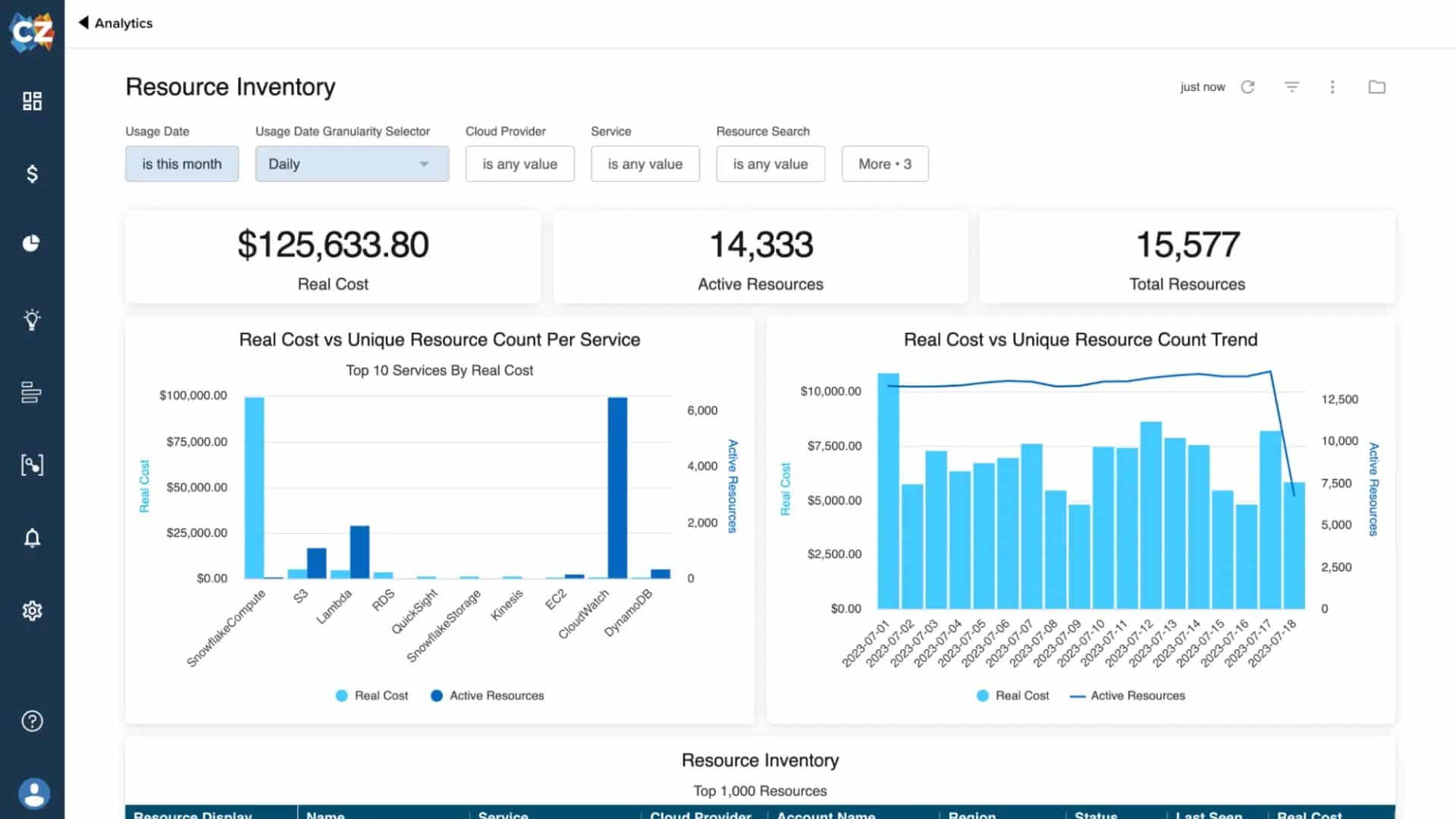
Cloudzero dashboard (source: cloudzero)
CloudZero is built to help teams understand cloud cost in business terms. It’s especially useful when you want to break spend down by product, customer, feature, or team, rather than just by account or service.
Core Features:
- Normalizes cost data across AWS, Azure, GCP, & Kubernetes
- Breaks down costs by customer, team, service, or product
- Role-based dashboards for finance & engineering teams
Value for FinOps Teams:
Useful for teams that need better cost allocation without relying entirely on perfect tagging. It helps connect spend to the parts of the business that actually drive it.
Quick Facts:
- Year Founded: 2016
- Category: Cloud cost intelligence
- Best For: Teams needing clear visibility into engineering & product cost drivers
- Pricing Model: Tiered pricing with custom quotes
2. Finout
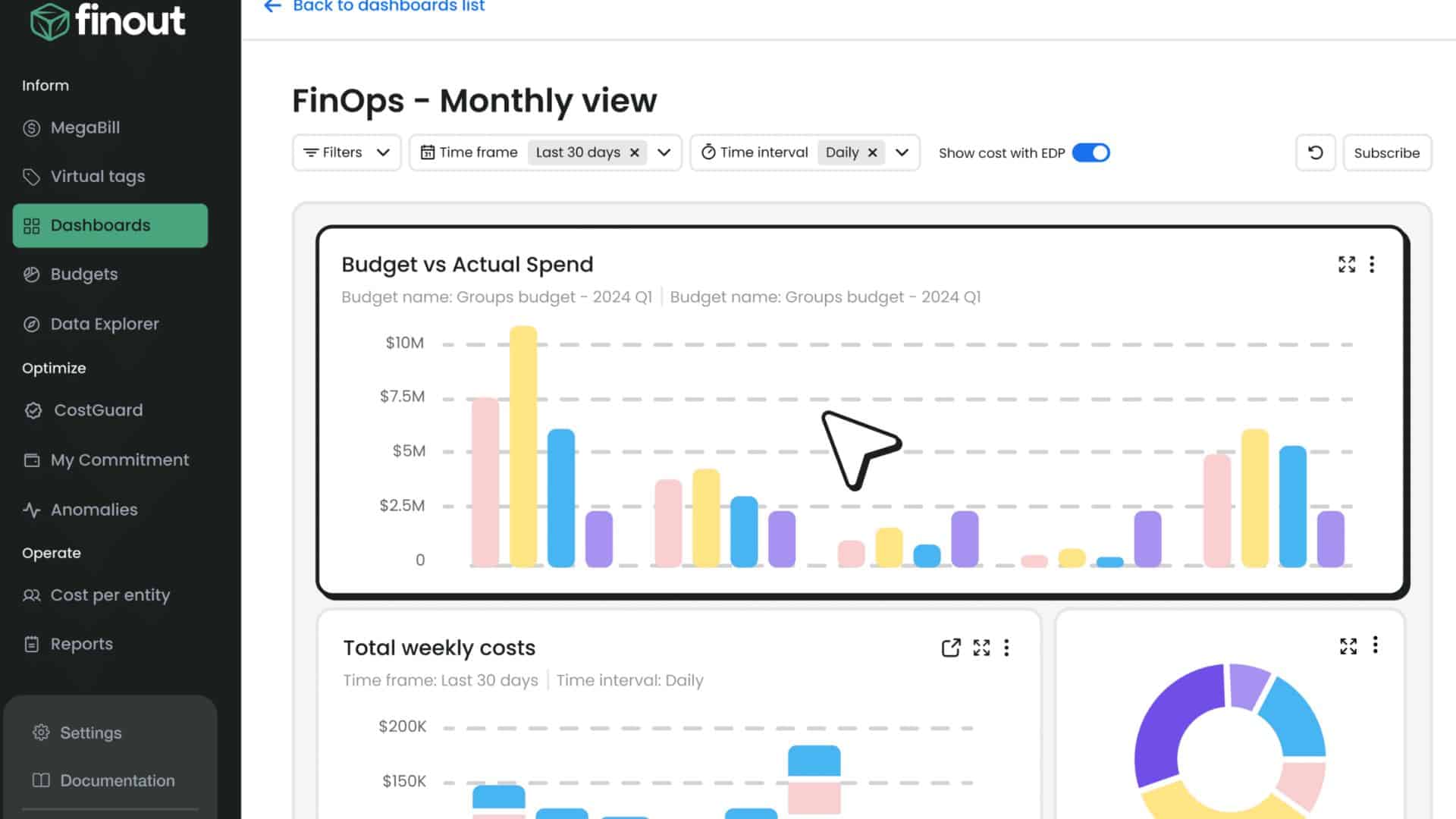
Finout dashboard (source: FinOut)
Finout focuses on cost allocation across multi-cloud and Kubernetes environments, with strong virtual tagging and shared cost capabilities.
Core Features:
- Virtual tagging & advanced cost allocation
- Unified analytics for AWS, Azure, GCP, & Kubernetes
- Integrations with finance & observability platforms
Value for FinOps Teams:
Helpful for teams that need cleaner allocation, especially when tagging is inconsistent and shared costs are hard to split fairly.
Quick Facts:
- Year Founded: 2021
- Category: FinOps automation & analytics
- Best For: Containerized or multi-cloud enterprises
- Pricing Model: Custom, based on usage
⚡️Running a large cloud estate? Read our guide to the 5 pillars of cloud cost efficiency
3. IBM Apptio Cloudability
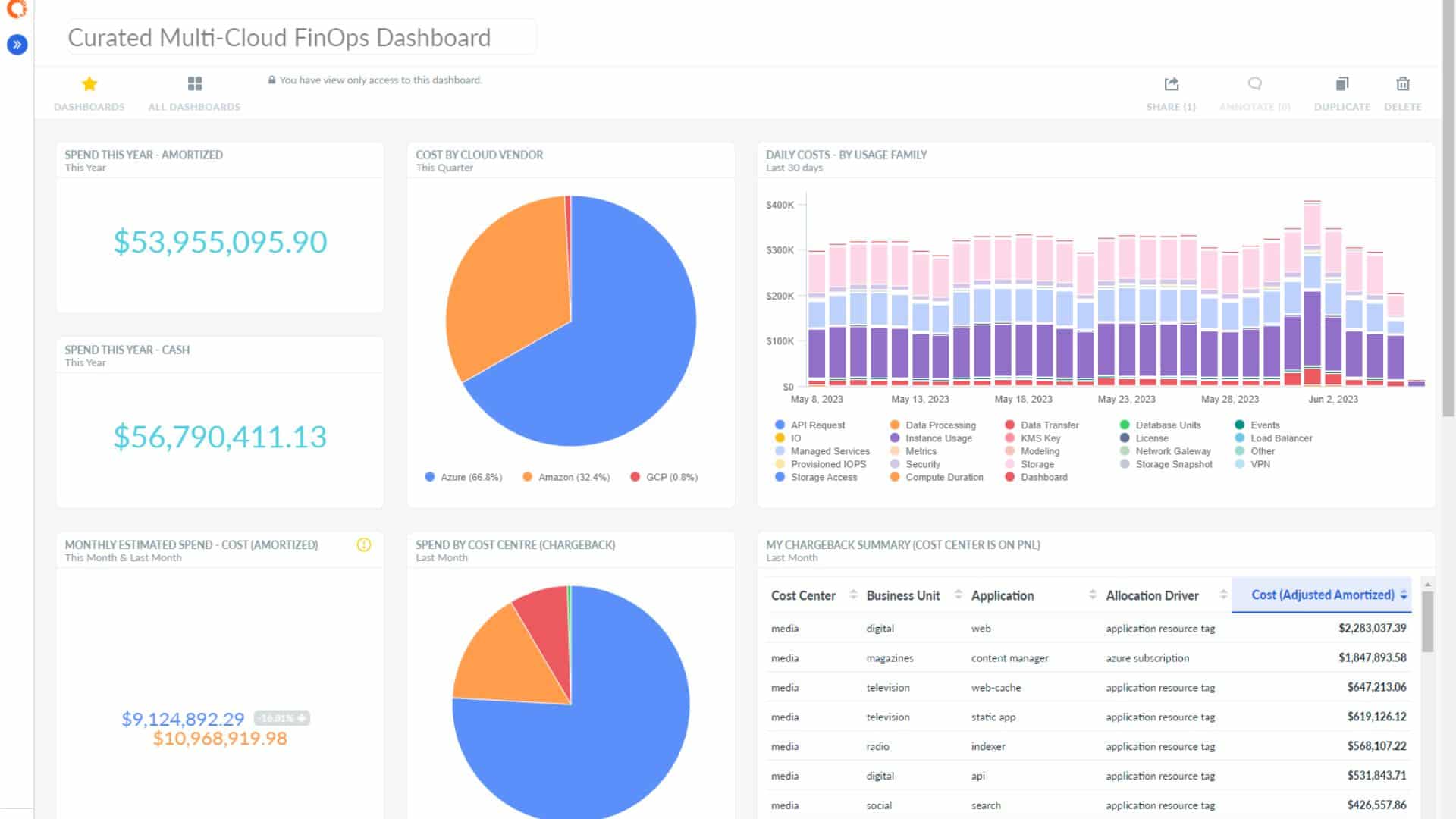
Cloudability Dashboard (Source: Apptio)
Cloudability is a long-established cloud financial management platform with strong budgeting, forecasting, showback, and reporting capabilities for large enterprises.
Core Features:
- Showback, chargeback, and financial forecasting
- Centralized multi-cloud visibility (AWS, Azure, GCP)
- Role-based dashboards for finance, IT, and engineering
Value for FinOps Teams:
Translates complex cost data into actionable insights. Governance and budgeting tools support strategic cost optimization for large-scale, mature FinOps teams.
Quick Facts:
- Year Founded: 2011
- Category: Cloud financial management
- Best For: Large enterprises with multi-cloud FinOps maturity
- Pricing Model: Custom enterprise pricing
4. Hyperglance
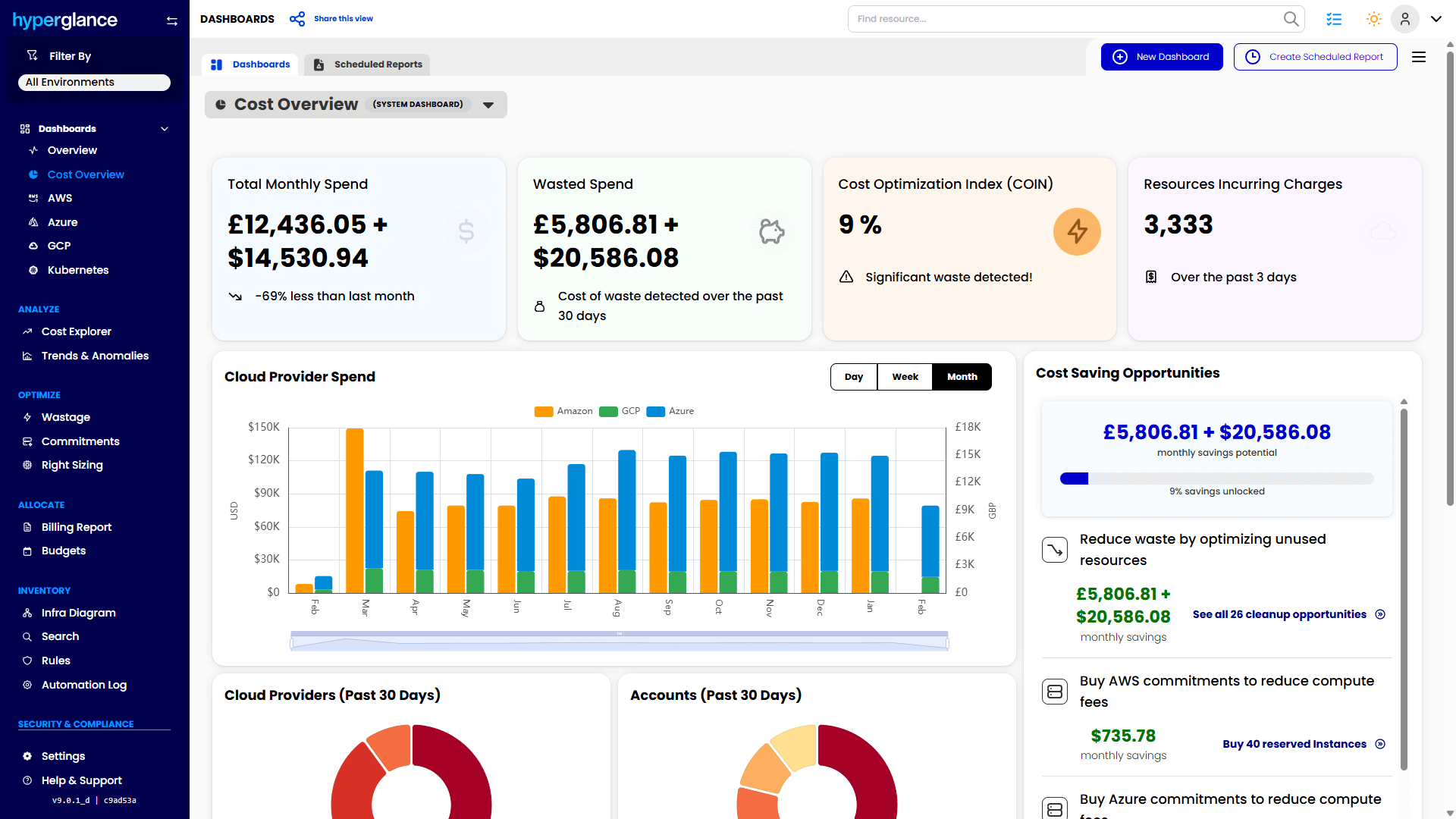
Hyperglance dashboard (Source: Hyperglance)
Hyperglance helps FinOps, CloudOps, and platform teams see cloud cost, resource relationships, ownership, and policy issues in one place across AWS, Azure, GCP, and Kubernetes. It combines cloud cost visibility with topology mapping, governance, and automation.
Core Features:
- Interactive topology, inventory, and dependency mapping across AWS, Azure, GCP, and Kubernetes
- Cost visibility, custom allocation views, and ownership reporting
- Policy-based governance, alerts, and no-code automation
- Agentless deployment, with self-hosted options for sensitive environments
Value for FinOps Teams:
Useful for teams that need to answer ‘what is this, who owns it, what is it costing us, and what should we do next?’ It’s a strong fit for organizations that want cost visibility tied to real cloud context, plus the option to keep data in their own environment.
Quick Facts:
- Year Founded: 2013
- Category: Cloud visualization & FinOps automation
- Best For: Mid-market and enterprise teams that need cloud visibility, ownership clarity, governance, and self-hosted deployment options
- Pricing Model: Based on the number of cloud resources ingested
5. Kubecost
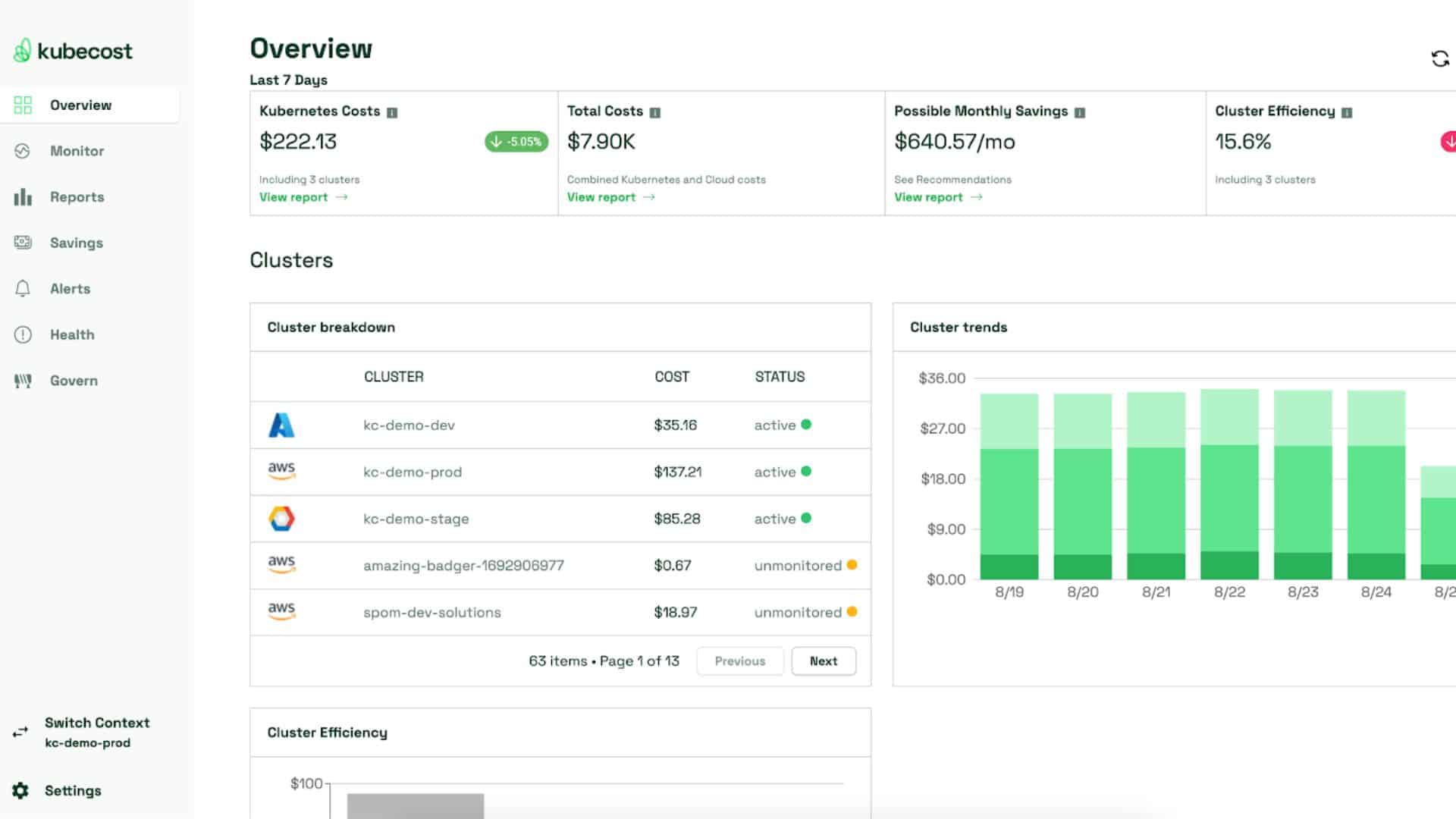
Kubecost Dashboard (Source: kubecost)
Best suited to teams that need granular Kubernetes cost visibility at the cluster, namespace, workload, or pod level.
Core Features:
- Real-time Kubernetes cost monitoring and allocation
- Prometheus integration for precise data tracking
- Cost-saving insights and recommendations for clusters
Value for FinOps Teams:
Brings financial transparency to containerized workloads, helping teams identify inefficiencies, allocate costs accurately, and optimize spending.
Quick Facts:
- Year Founded: 2019
- Category: Kubernetes cost visibility & FinOps
- Best For: Teams managing large-scale containerized deployments
- Pricing Model: Free open-source tier and paid enterprise plans
6. ProsperOps
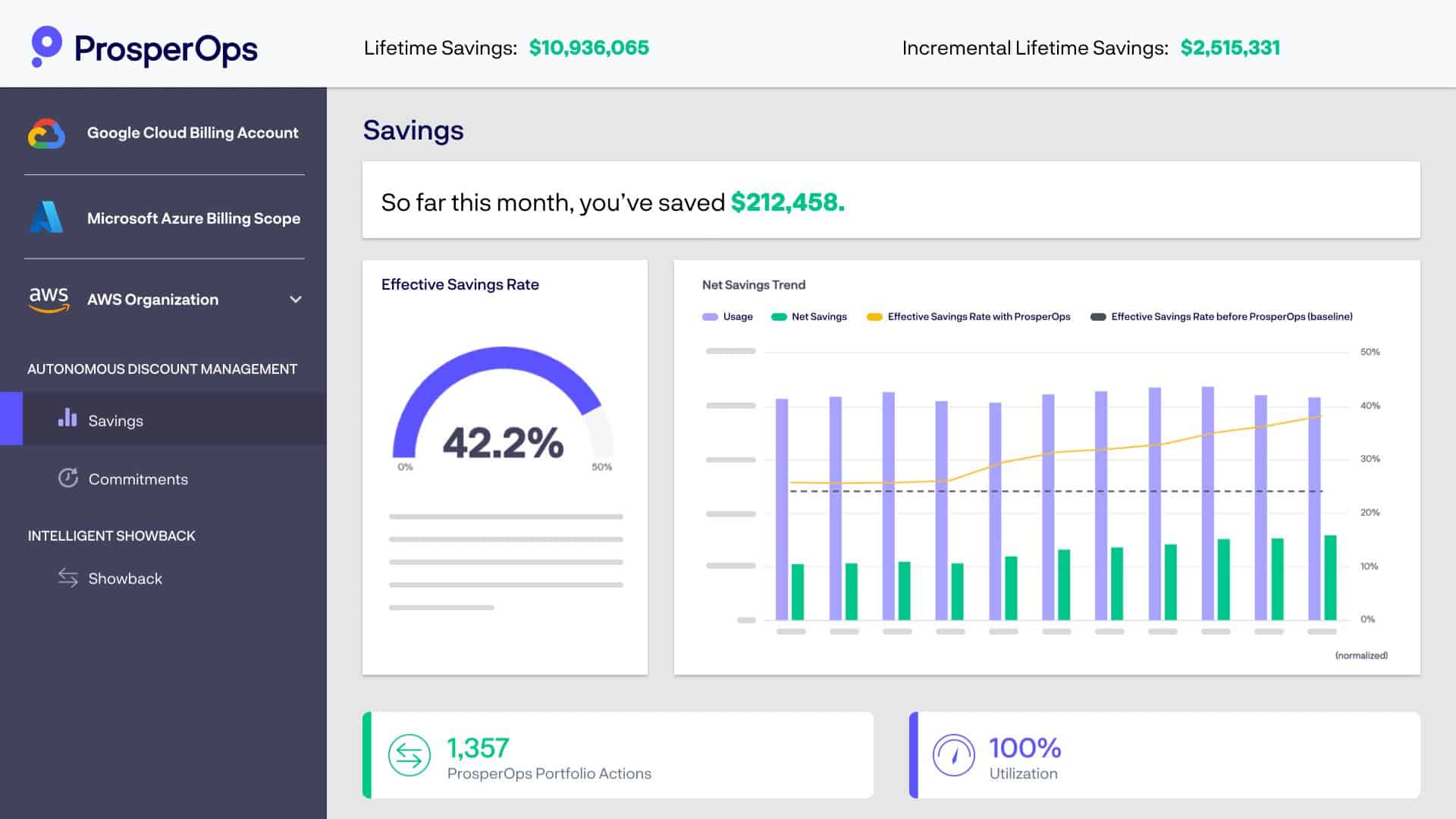
ProsperOps Dashboard (source: ProsperOps)
Strong option for AWS-heavy teams that want to automate Savings Plans and Reserved Instance management rather than handle it manually.
Core Features:
- Continuous optimization of AWS Savings Plans & RIs
- Real-time tracking of utilization and savings performance
- Automated cost adjustments based on workload changes
Value for FinOps Teams:
Eliminates manual savings management, enabling teams to focus on strategic cost control with intelligent automation.
Quick Facts:
- Year Founded: 2018
- Category: AWS cost optimization & FinOps automation
- Best For: AWS users seeking automated savings management
- Pricing Model: Percentage of total savings
7. Cast AI
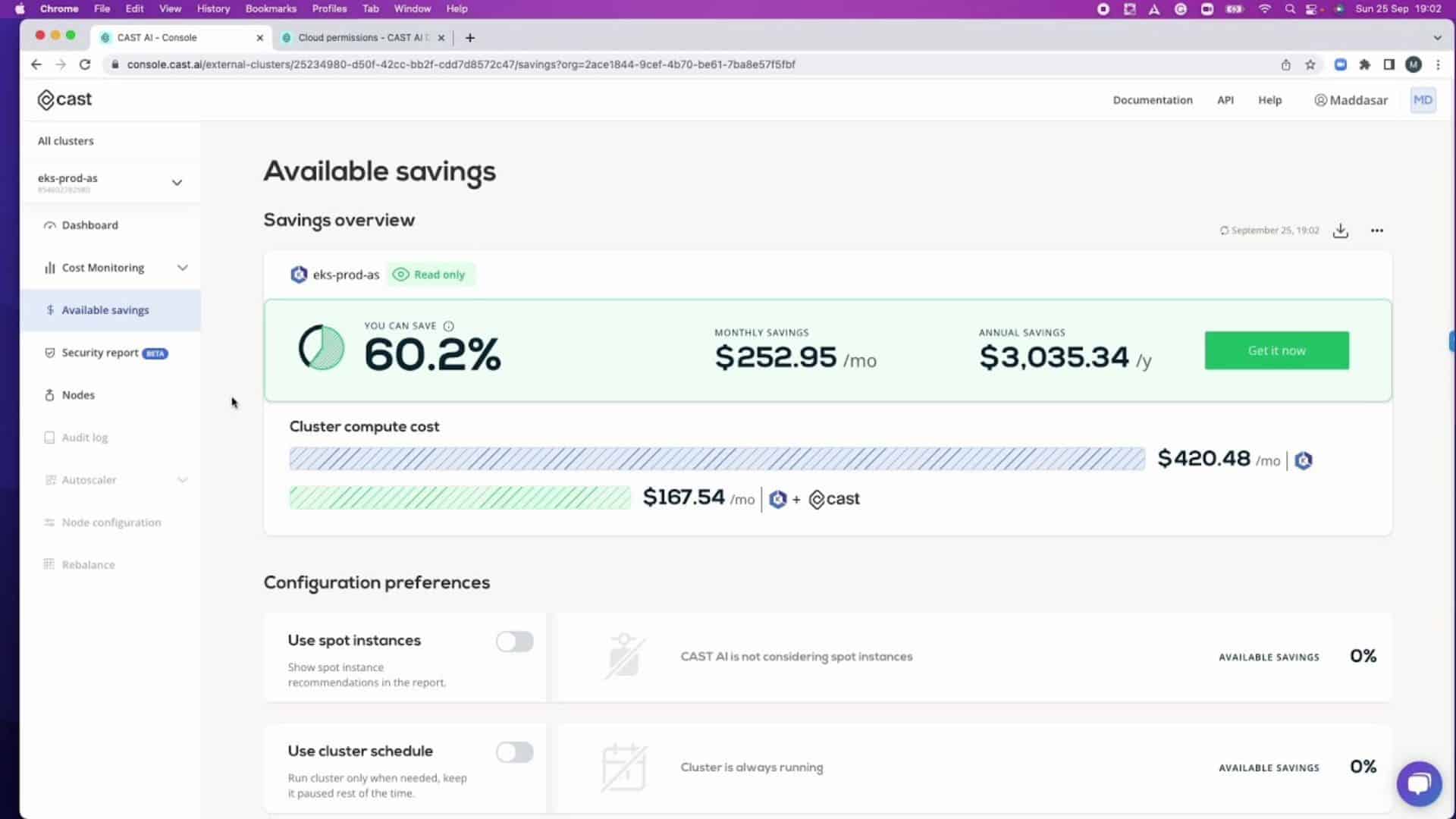
Cast AI dashboard (Source: cast.ai)
Cast AI focuses on Kubernetes cost optimization through automated rightsizing, scaling, and workload placement.
Core Features:
- AI-driven autoscaling & rightsizing for Kubernetes
- Continuous cost monitoring & optimization recommendations
- Integrates with major cloud providers for centralized cost management
Value for FinOps Teams:
Enables hands-off Kubernetes cost control, balancing performance and spend with automation.
Quick Facts:
Year Founded: 2019
Category: Kubernetes cost optimization
Best For: Cloud-native teams running Kubernetes on multi-cloud
Pricing Model: Percentage of savings or usage-based
Before you shortlist vendors, read our guide on how to choose the right FinOps platform
8. VMware CloudHealth (Aria)
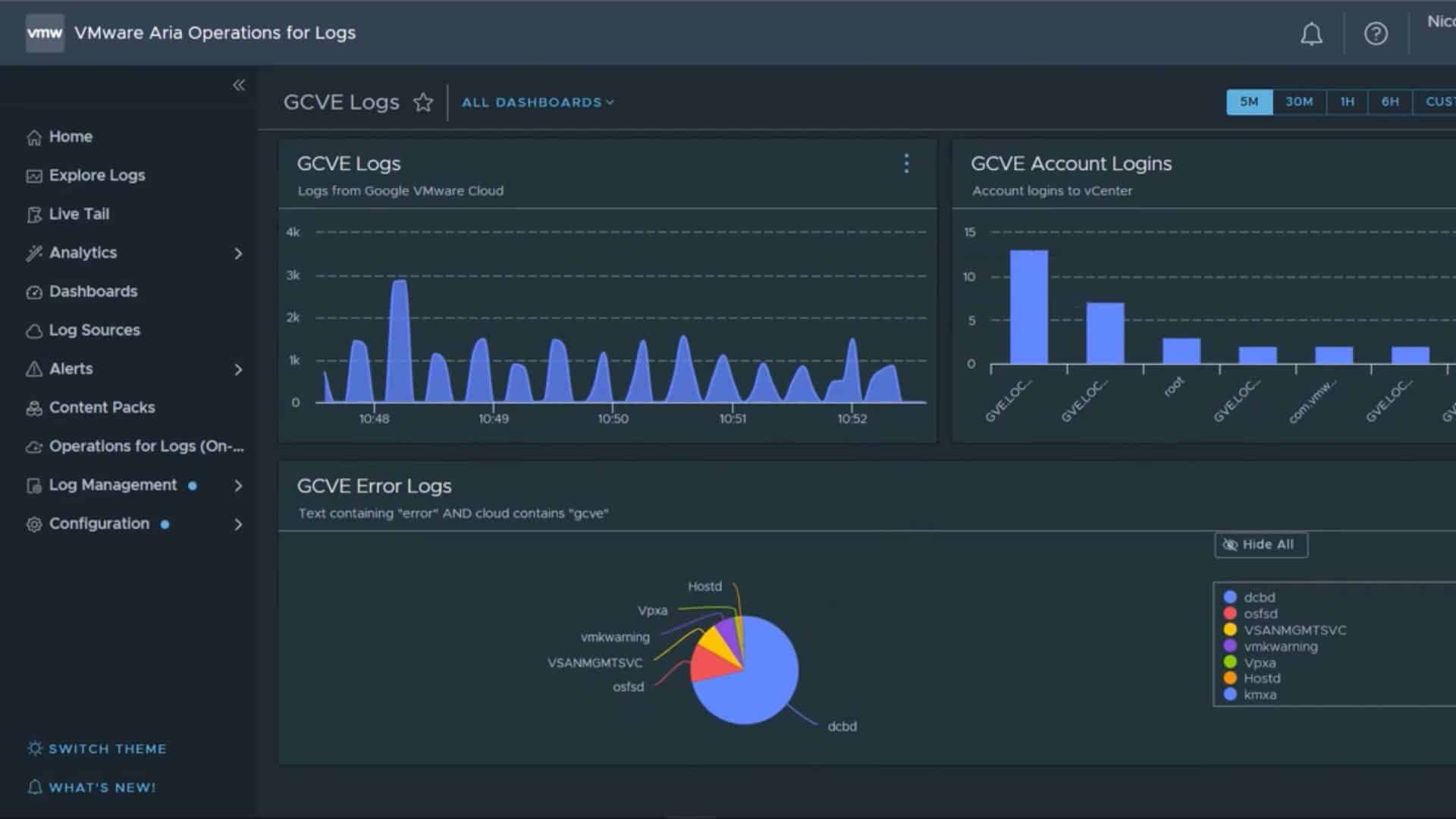
CloudHealth Dashboard (source: cloudhealth)
CloudHealth (VMware Aria) is a comprehensive FinOps and governance platform offering visibility into usage, spend, and performance across AWS, Azure, and GCP.
Core Features:
- Centralized multi-cloud cost, usage, & performance visibility
- Automated cost allocation & budgeting
- Policy-driven governance for spend optimization & compliance
Value for FinOps Teams:
Useful for enterprise teams that want broad multi-cloud reporting, governance, and financial management in one platform.
Quick Facts:
- Year Founded: 2012 (acquired by VMware in 2018)
- Category: Cloud management & FinOps platform
- Best For: Enterprises managing multi-cloud infrastructures
- Pricing Model: Subscription-based, tiered by usage
9. CloudBolt
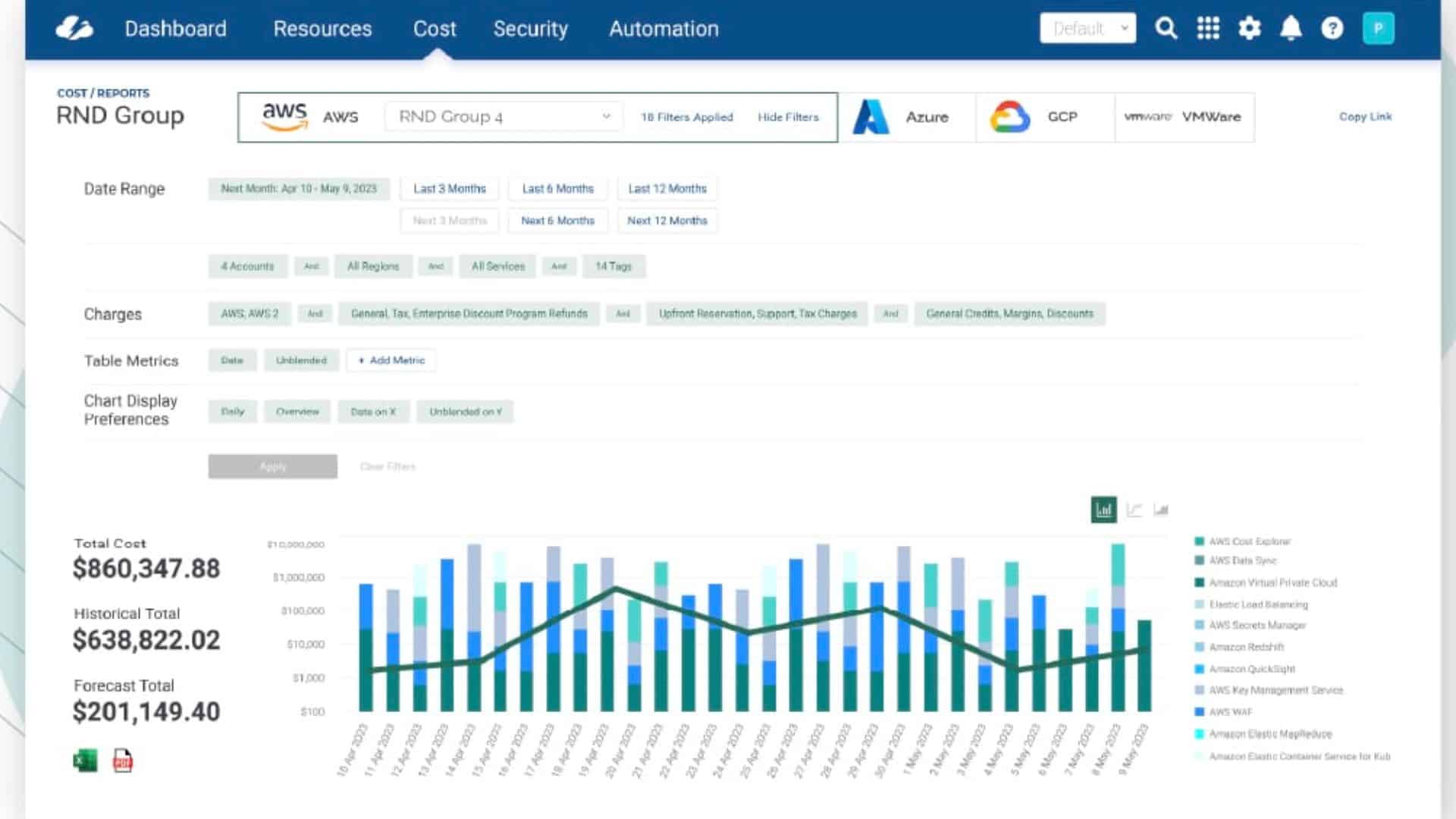
CloudBolt Dashboard (Source: cloudbolt)
CloudBolt offers hybrid and multi-cloud management with cost governance, automation, and visibility across private, public, and hybrid environments.
Core Features:
- Unified visibility & governance across hybrid clouds
- Intelligent cost analytics & optimization insights
- Self-service automation for provisioning & usage
Value for FinOps Teams:
Could be a fit for teams managing hybrid environments that need cost governance alongside provisioning and automation.
Quick Facts:
- Year Founded: 2012
- Category: Hybrid cloud management & FinOps
- Best For: Enterprises using both cloud and on-prem infrastructures
- Pricing Model: Custom enterprise pricing
10. CloudCheckr
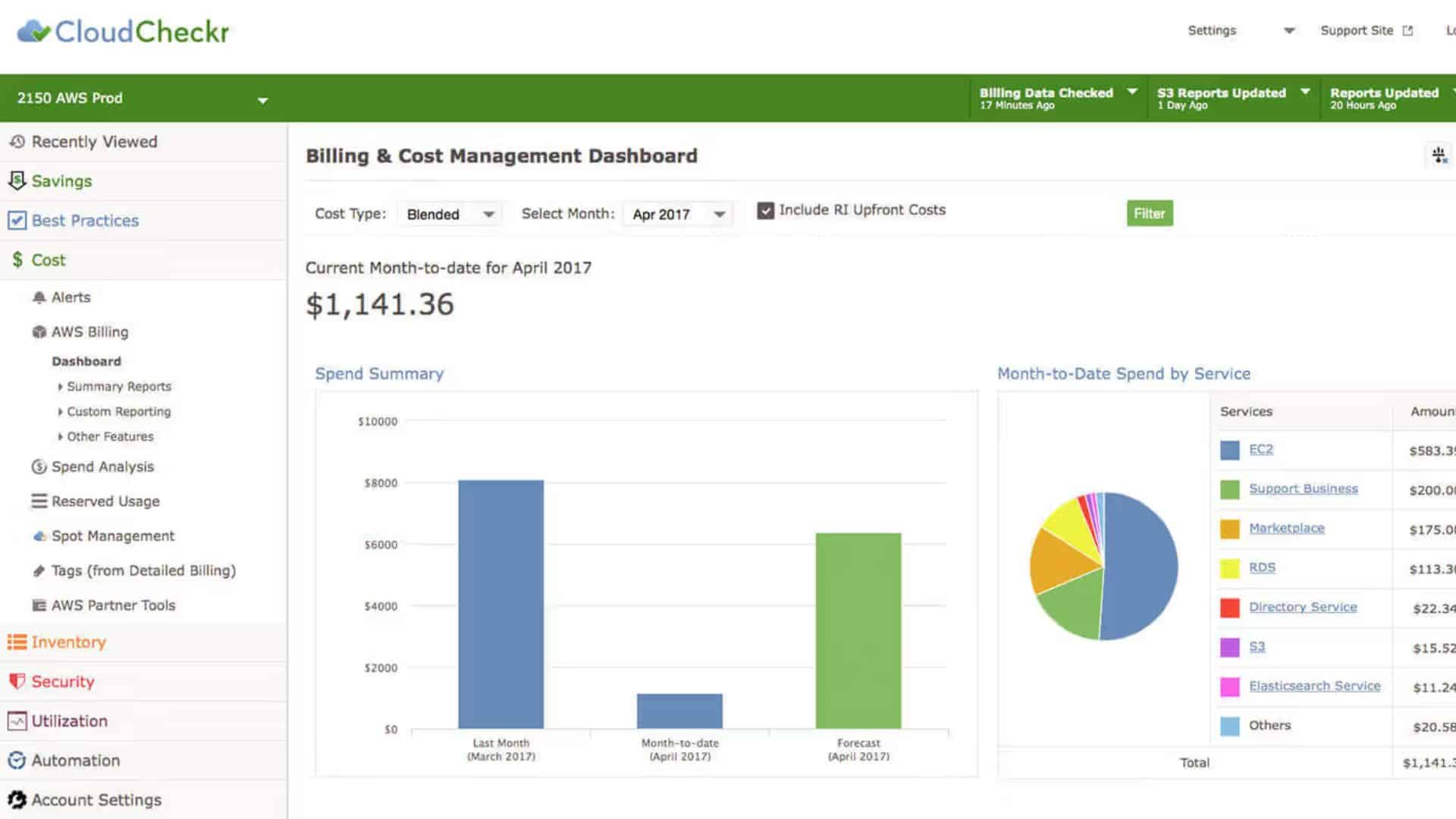
CloudCheckr Dashboard (source: Flexera)
CloudCheckr (part of Flexera) delivers automated cost optimization, compliance, and governance across AWS, Azure, and GCP.
Core Features:
- Advanced cost reporting & policy-based governance
- Automated detection of anomalies & security issues
- Detailed usage analytics for forecasting & budgeting
Value for FinOps Teams:
Best suited to enterprise teams that want cost reporting, governance, and compliance controls in the same workflow
Quick Facts:
- Year Founded: 2011
- Category: Cloud cost optimization & governance
- Best For: Enterprises needing unified cost, compliance, & security visibility
- Pricing Model: Custom quote based on cloud spend
Key Features to Look for in the Best Cloud FinOps Tools
When you compare FinOps tools, don’t just look at feature count. Focus on the problems you need to solve first, whether that’s allocation, forecasting, commitment management, Kubernetes visibility, governance, or automation.
The right platform should help finance, engineering, and operations teams work from the same picture, not argue over different numbers.
1. Unified Multi-Cloud Visibility
A good FinOps tool should consolidate data from AWS, Azure, Google Cloud, and other environments into a single, consistent view. Unified visibility enables teams to detect waste, analyze usage trends, and align spending with business goals.
2. Real-Time Cost Monitoring and Alerts
Static reports are no longer enough in multi-cloud FinOps environments. Look for tools that provide live cost tracking, anomaly detection, and automated alerts when spending deviates from forecasts. This allows teams to take action before budget overruns occur.
3. Automation and Policy Enforcement
Automation is the backbone of modern FinOps. Tools that enforce tagging policies, shutdown schedules, or rightsizing actions help eliminate manual intervention while maintaining compliance and efficiency.
4. Kubernetes and Container Cost Allocation
Among the top FinOps tools, container-level visibility has become a defining feature. With Kubernetes dominating modern architectures, accurate container-level cost visibility is now critical. Leading platforms provide granular visibility into clusters, namespaces, and workloads, helping teams avoid blind spots in usage and spend.
5. Forecasting and Budgeting Capabilities
Predictive analytics and AI-driven forecasting allow finance and engineering teams to anticipate cost trends, simulate changes, and plan budgets more accurately.
6. Role-Based Dashboards and Collaboration Tools
FinOps thrives on shared accountability. Look for tools that provide tailored dashboards for finance, DevOps, and leaders, making cost insights easy to understand and act on across departments.
7. Integrations and Extensibility
The best FinOps tools seamlessly integrate with CI/CD pipelines, ITSM systems, and collaboration platforms like Slack or Jira, ensuring insights flow directly into daily workflows.
Before selecting a platform, assess your organization’s maturity level and specific pain points — whether that’s multi-cloud cost allocation, SaaS spend management, or automated savings recommendations.
The right FinOps tool should support your current maturity level and still fit as your cloud estate grows.
How to Choose the Right FinOps Tool For Cloud Cost Efficiency
Choosing a FinOps tool is less about finding the platform with the longest feature list, and more about finding one that fits your cloud estate, your team structure, and the way you actually work.
Cloud Coverage
Ensure the tool supports all the environments you use, whether that’s AWS, Azure, Google Cloud Platform, or on-premises. If your organization is adopting a multi-cloud FinOps approach, unified visibility across providers is non-negotiable.
Integration and Automation
Look for solutions that integrate easily with your existing CI/CD pipelines, billing systems, and monitoring tools. Automated tagging, anomaly detection, and cost optimization features save time and reduce human error.
Actionable Insights
A dashboard is only as good as the insights it provides. “The best platforms show not just where you’re overspending, but what you can do next.
Collaboration and Governance
FinOps is a team sport involving engineers, finance, and operations. Select tools that support role-based access, shared dashboards, and automated policy enforcement to maintain alignment across the team.
Scalability and Flexibility
As your cloud footprint grows, your FinOps needs will evolve. Prioritize tools that can scale with your usage, easily add new cloud accounts, and support cost forecasting as your organization matures.
Looking Ahead
FinOps is now part of how mature cloud teams run. As estates become more complex, the need for better visibility, clearer ownership, and faster action only grows.
The 10 cloud FinOps tools featured here highlight where FinOps is headed in 2026: toward greater integration, intelligence, and impact.
FinOps is now part of how mature cloud teams run. As estates become more complex, the need for better visibility, clearer ownership, and faster action only grows.
Frequently Asked Questions (FAQs)
1. How do FinOps tools differ from cloud cost management platforms?
FinOps tools go beyond simple cost tracking. While cloud cost management platforms focus on reporting and spend visibility, FinOps tools add layers of automation, accountability, and financial governance. They help engineering, operations, and finance teams collaborate—turning usage data into strategic, actionable insights.
2. What is the difference between CloudOps and FinOps?
CloudOps is about efficiently running and maintaining cloud systems, ensuring uptime, performance, and reliability. FinOps, meanwhile, focuses on making those operations financially sustainable. In short, CloudOps manages performance; FinOps manages cost efficiency.
3. What features should you look for in a FinOps tool?
Look for automation, real-time cost tracking, anomaly detection, and strong integration with AWS, Azure, or GCP. The best cloud FinOps tools also include forecasting, Kubernetes cost allocation, and reporting features that enable collaboration across departments.
4. What is FinOps tooling?
FinOps tooling refers to the set of platforms and software solutions designed to help teams optimize cloud costs. These tools provide visibility, analytics, automation, and governance to ensure cloud spending aligns with business objectives.
5. What’s the difference between a FinOps tool and a cloud cost management tool?
Many cloud cost management tools focus on reporting and spend visibility. FinOps tools usually go further by supporting allocation, accountability, governance, optimization, forecasting, and collaboration across teams.
6. What should teams look for first when evaluating a FinOps platform?
Start with the problem you need to solve. For some teams, that’s allocation and reporting. For others, it’s Kubernetes visibility, governance, commitment management, or self-hosted deployment.
7. Is FinOps just for cloud spending?
Initially, but it’s evolved. FinOps now extends beyond cloud services to include SaaS management, container infrastructure, and even AI workloads. The goal is to introduce financial discipline to every aspect of modern digital operations.
Why Teams Choose Hyperglance
Hyperglance gives FinOps teams, architects, and engineers real-time visibility across AWS, Azure, and GCP. See cost, security, and performance in one view.
Spot waste, route findings to owners, and trigger automated actions where configured with no-code automation.
- Visual clarity: Interactive diagrams show every relationship and cost driver.
- Actionable automation: Detect and fix cost and security issues automatically.
- Built for FinOps: Hundreds of optimization rules and analytics, out of the box.
- Agentless & Secure: Self-hosted, so sensitive data never leaves your cloud.
- Multi-cloud ready: Unified visibility across AWS, Azure, and GCP.
Book a demo today, or find out how Hyperglance helps you cut waste and complexity.
About The Author: Stephen Lucas
As Hyperglance's Chief Product Officer (CPO), Stephen is responsible for the Hyperglance product roadmap. Stephen has over 20 years of experience in product management, project management, and cloud strategy across various industries.